Feature Overview - Meal Plan Leftovers
Leftovers let you create a meal plan entry to track when you’re going to eat something you’ve already prepared.
You can add leftovers to your Queue for later, or schedule them directly on your calendar. Either way, they’ll show up with a special badge so you can tell at a glance when you’re planning to eat leftovers.
Adding Leftovers to Your Calendar or Queue
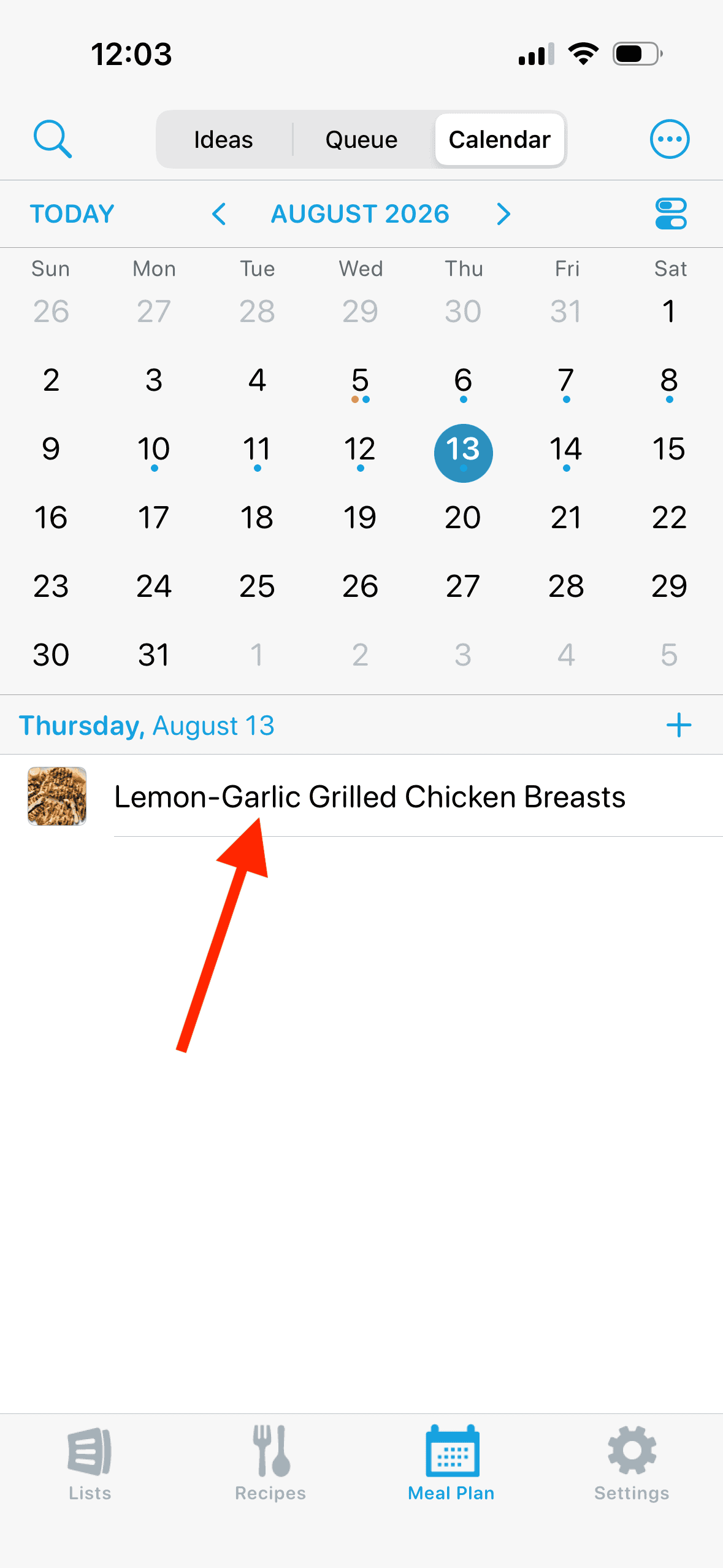
1. Tap a recipe in the meal planning calendar to bring up the details screen.
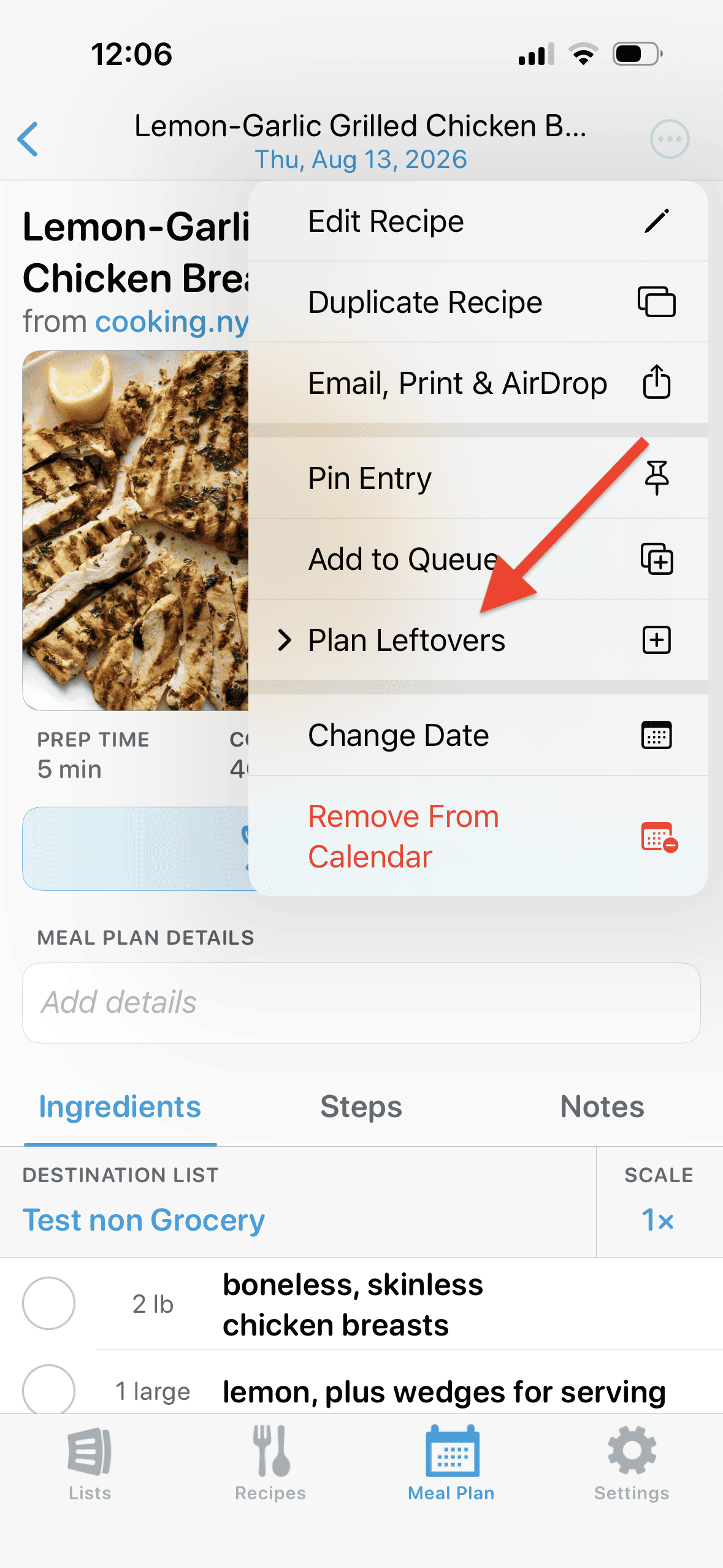
2. Tap the ••• button and select Plan Leftovers. Then choose Add to Queue or Add to Calendar.
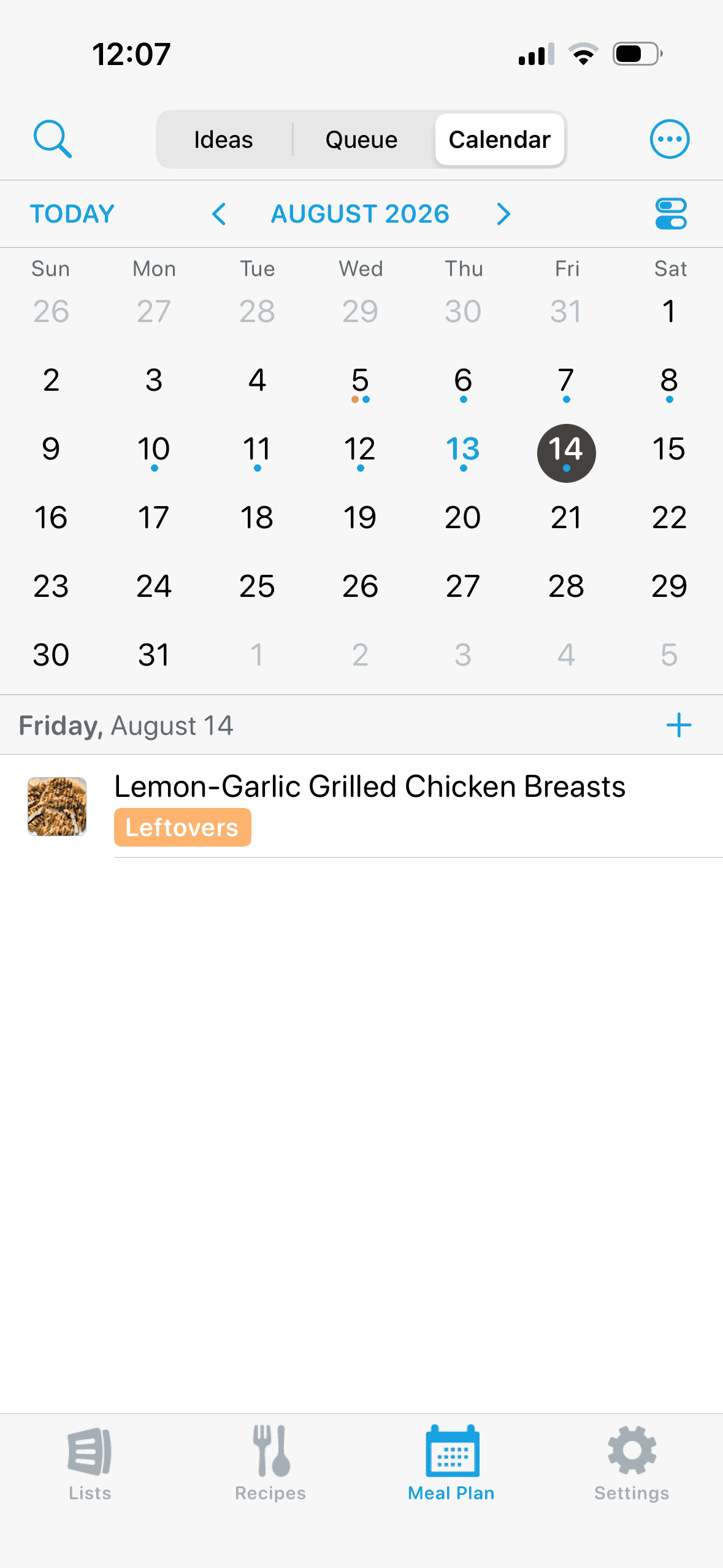
3. The meal plan entry will have an orange Leftovers badge so you can tell it apart from meals that require preparation.
Did this answer your question? If not, please search all of our articles. If you don’t find an answer, then contact us and we’ll be happy to help.